Why Facebook acquired osmeta – it’s all about Facebook Home

Last month, Facebook silently acquired osmeta. Even though I ‘broke’ this news on Twitter, and emailed a few tech rags about it, no one has picked up on it yet – which is surprising given all the speculation about the Facebook Phone, and Facebook Home.

Using only public information (since I happen to know the founder), here’s why this is significant news.

What osmeta was trying to do

Details are sparse, as is to be expected from a stealth startup, but clues abound.

  1. ‘osmeta’ – a reference to ‘meta operating system’ – potentially a virtualization technology that allows you to run the same ‘core functionality’ on top of any (potentially mobile) hardware?
  2. A stellar team, to quote their own words:
    Our programming experience is even more impressive—both quantitatively and qualitatively. Between us, over the years, we have done pretty much “everything” in terms of software creation, including several first-in-the-world type of magical things. (Examples: AndroidChrome for AndroidChrome OSGoogle CrawlingAdWordsZooKeeperBookKeeperPig (Hadoop)OSGi, Linux kernel control groupsnetwork and other device driverscognitive computingmassive storage systemsunusual file systemsvarious types of virtualization, video game console emulation, and many, many others.)
  3. Amit Singh, the founder,  is well-known for his penchant for virtualization technologies, and is a well-known Mac OS X author and hacker.
  4. A tantalizing description of what they’re trying to achieve:
    Incredible possibilities, tremendous opportunities—for developers and users of many, many devices everywhere, including devices in cars, airplanes, and consumer electronics.

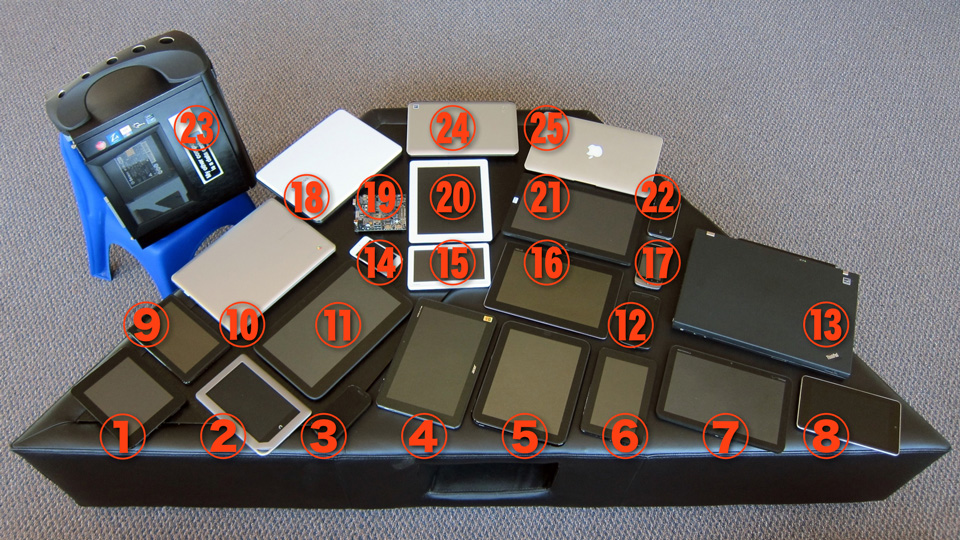
The most obvious clue that this is all about mobile is this image they post on the bare-bones website.

devices

So, why Facebook? Because Facebook Home > Facebook Phone.

One possibility is that this is a straight-up acquihire. Clearly, the talent behind osmeta is immense – it’s possible they decided to stop doing what they’re doing, and just join Facebook. Wouldn’t be the first time.

The more intriguing possibility is this. What if Facebook decided that, strategically, they need Facebook Home to transcend every mobile device – not just Android. Who would you hire to build such a beast, and how would they go about doing it?

Perhaps what osmeta has built so far lets them spread Facebook Home across this fragmented device ecosystem, quickly, in a scalable fashion, and achieve a consistent, Facebook-centered experience, across all devices?

In other words, why would you build Facebook Phone, if you could have Facebook Home on all phones, tablets and (groan) phablets?

Looking forward to finding out! Knowing Amit, it won’t be long.

- (the other) Amit

Disclaimer: Amit Singh, founder of osmeta, was my classmate when we were studying together at IIT Delhi. However, I have purposely not communicated with him before writing this post, and used only publicly available information to hypothesize and speculate.


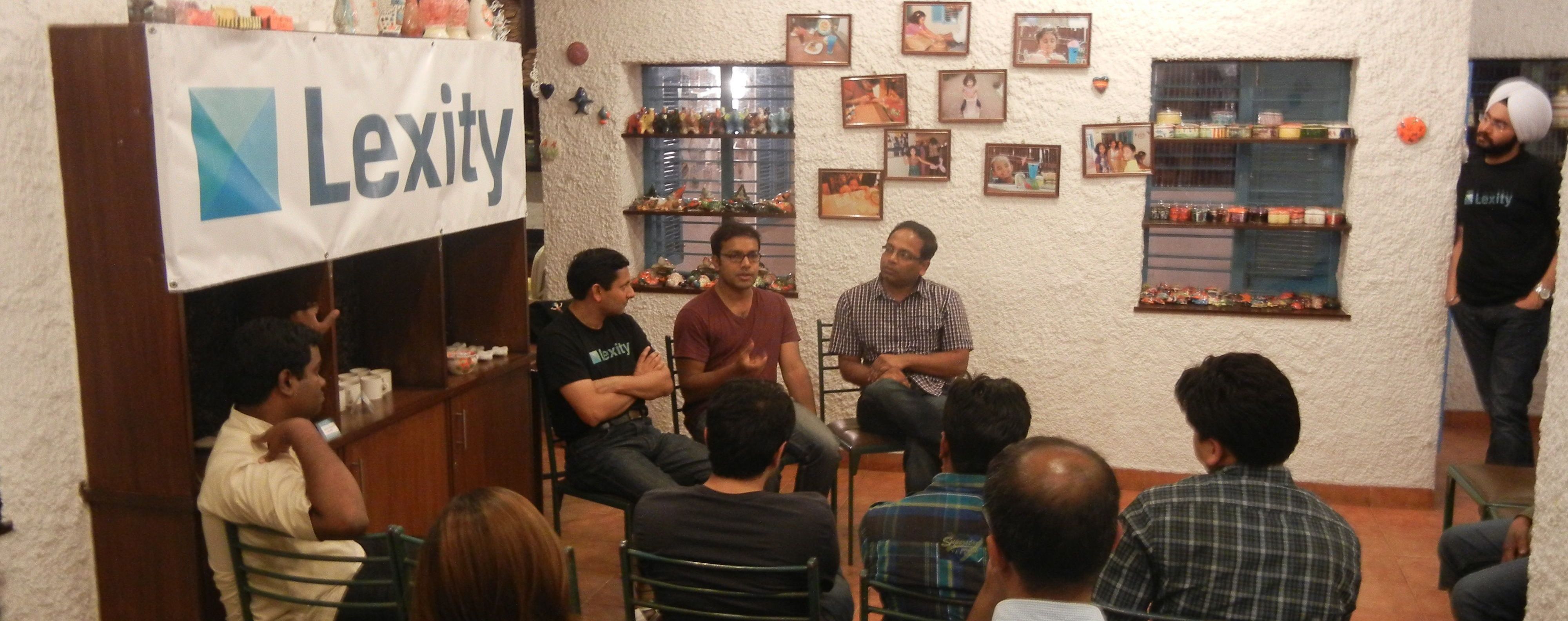
Jason Calacanis’ 20 secret tips for pitch perfection (from the Lexity Live Sales LAUNCH launch)

Screen Shot 2013-03-15 at 1.16.04 AM50 startups launched at the LAUNCH festival this week, and if you watch the videos, it feels like each one of them channeled late Billy Mays, the legendary TV pitchman. So, are great founders born great presenters?

Turns out, behind the scenes, Jason and Tyler Crowley spent tens of hours working with every startup, helping them hone, and sometimes rewrite, their pitches. In-person, on-Skype, on-stage – until every startup sounded pitch perfect.

Lexity was one of these 50 startups who benefited, and launched to great applause! So what were the top lessons we startups learned from them? Here they are.

Top 3 Tips

  1. Show your product in the first 15 seconds. 6 years of data says – the audience gives you exactly 15 seconds before they turn to Facebook or Email. Nothing engages more then a picture or demo of your product, so show it to them quickly!
  2. Practice makes perfect. Dropbox got a 5/10 at their first rehearsal. The second time it was 8/10 – and a 9.5/10 by the time they got on stage. So keep practicing! (Lexity itself went from a 5.5 to… you be the judge)
  3. Things will go wrong. So, always be prepared. Have a full video of your entire demo, so you can run it and narrate over it, if need be. In fact, Lexity’s own demo hit WiFi snags while presenting, but the video recovery worked well.

Choosing the right content

  • Tell a story. Pick a customer, give him/her a real name and an actual background, and tell a story of how they’d use your product, and why it makes a difference to their lives.
  • Show your product. Use 2 slides at most – instead, focus on showing off your product. Do a couple of different use cases. Demo a signup flow if it drives the simplicity message. And, mention pricing so the market positioning is clear.
  • Include: testimonials. Exclude: trigger words. If you have prominent users with actual usage photos/stories/quotes, use them! On the other end, avoid trigger words like ‘it’s entirely legal!’ – leave that for Q&A :-)
  • Use context. If possible, use a familiar context. Some startups used Jason or the LAUNCH conference as context, Knowyo even used a picture of the presenter from the pitch right before them!

Structuring the delivery

  • Address the Elephant. What does the audience notice most when they’re looking at your demo? Is it a big, unexplained number in the middle? A large colorful icon you haven’t talked about? Explain things in the sequence they’ll be noticed, or at least address the elephant in the room quickly.
  • Humor hurts good products. If your product is good, let it speak for itself. Humor works, but in low doses. A lot, and the audience starts wondering if the presenter is compensating for the lack of a good product.
  • Identify the WOW. At what point in your presentation does the audience go WOW? If there isn’t one, make one happen. If there is one, make sure to make to build up to the crescendo!

Navigating the Presentation

  • Ctrl-swipe to zoom in. On a mac, you can hold down Control and swipe up or down with two fingers to zoom in and out. Use this to zoom the screen on what you want the audience to focus on.
  • Use Text expansion to enter text quickly. On a mac, program text shortcuts to write out long sentence you’re supposed to type, by typing a macro like ‘xxx’. This even works on the iPhone. Reliable, and quick.
  • Use Reflector.app to mirror a smartphone. Instead of relying on a video camera or ‘elmo’ to show interactions done on a phone, use the Reflector app, which display the contents of your iPhone on a Mac, and then project the Mac instead.
  • Or turn up the brightness. If you do end up projecting up the video of a mobile phone or tablet, remember to turn up the brightness, so the picture quality looks good.

On Stage!

  • Involve the audience (only if you’re sure!) Starting the presentation off with an audience question works really well – but only if at least 15% participate. If nobody does, it looks bad, and could throw off your rhythm. Use with caution!
  • Address judges by name. When answering questions, try to use their name. For some reason, all of us like the sound of our names :-)
  • Always sound confident. You don’t have all the answers – but the judges don’t need to know that! Think fast, be confident, but always give a specific answer.
  • Answer within 15 seconds. Answer as many questions as you can – and answer each within 15 seconds. Hard question? You can move to the next one quickly. Soft question? Answer it quickly, and drop the mike on the floor. #BOOM

These are the top lessons I learned – but there were so many more. Jason and Tyler really did a great job, and I can’t wait till next year!

What’s your best tip for doing pitch presentations? Share it below!

Amit Kumar
Founder & CEO, Lexity

Google puts reCaptcha to work interpreting Street View imagery

reCaptcha was a very interesting acquisition by Google in 2009 – at that time, they put the team to work on connecting reCaptcha with the immense Google Books digitization project.

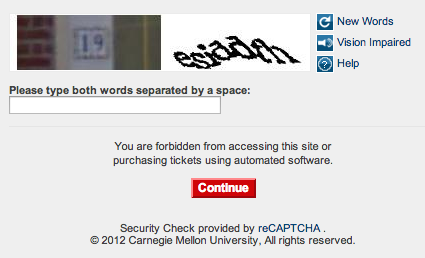
Fast forward to today, and thanks to the Local and Mobile revolution, Google has a new digitization challenge to overcome. How do you connect street addresses with the imagery acquired via Google Street View?

Well, a picture speaks a thousand words:

Image

Google is now crowdsourcing its Street View interpretation project to the entire world. Brilliant!

- Amit

iOS6 Maps: It’s the Siri, Stupid.

ImageCommentators lauding and panning iOS6 maps are focussing on the core maps experience—for good reason—but it’s the Siri integration that’s worth paying most attention to.

The core maps scale with money and time – both of which Apple has ample amounts of. More planes will fly, more servers will crunch data, updates will be deployed faster to the web service. Nothing a billion dollars and a couple of years can’t fix.

Siri as your Navigator

It’s the Siri experience that I’m most psyched about. It is, after all, something I predicted in November 2011 – in a post aptly titled ‘Siri-based navigation is coming soon‘. It only took a year!

It’s a verbose post that maps out why Siri with a simple premise:

Typical car travel is a two-person activity – one to steer, and another to navigate. Sure, you can make-do with just one person fumbling with a GPS devices while trying to drive. But imagine a future where Siri becomes that navigator – skillful, omniscient, helpful and entirely hands-off.

The future is, of course, here. It’s a testament to Apple’s genius that when the future arrives, it hits you with a ‘well, duh‘ realization.

My personal experience with Siri as Navigator

This morning, when I left home, I asked Siri: “Take me to work“. And she did. I did not look at the iPhone even once (well OK, I did, but not to peek at the directions), and Siri even re-routed me when I hit traffic. I even asked her “Are there any gas stations near the route” and she found some. 

Funnily enough, when providing directions to the next gas station, one of the options she offered was “Find the next one“. She understands you might just have missed the exit to the first one. That’s smart!

Then I asked her “Is there a Starbucks near my destination?“. Siri couldn’t answer this – but it wasn’t so bad! She said “Sorry, I can’t find places near a business“. In other words, she understood what I was asking, but just didn’t know how to answer just yet. Of course, this will change in the future.

And this is where the data comes in

When Apple says they’ll get better with usage – don’t be fooled. The usage won’t actually improve the visual map experience that much – they probably already knew that Brooklyn Bridge don’t look so good. And they’ve already had the traffic data pumping in from the previous incarnation for years.

No, this is about Siri. As Apple gets real-world usage of a completely voice-drive application, because it needs to be, and it practically begs to be, they’re developing the deepest, most comprehensive understanding of how travel gets done, not just how maps look and feel.

So this is classic Apple – focus on learning how to make things better, not just copying what already exists.

Roadmap for Siri

Siri, as navigator, of course needs a roadmap. Based on my previous blog post, here’s a suggested roadmap for Siri actions. My humble suggestions for the product manager for this feature at Apple (or for the corresponding person at Google + Google Now, natch!)

  • [done] Spoken directions with Siri’s voice – “Next turn in 300 feet”
  • [done] Routing and rerouting commands, using Contacts information – “Take me home”
  • [done] Gas nearby – “Are there any gas stations near the route”
  • [untested] Adding gas stations as waypoints – “Siri: Added Shell gas station as waypoint”
  • Send message about current route to someone – “Let Abha know when I’ll reach home”
  • Notice unexpected slowdown and proactively suggest rerouting – “Siri: We seem to be stuck in traffic, but I have an alternate routing suggestion for you”
  • Find parking spot at destination – “What are the parking options at the destination?”
  • Nirvana – “Siri, let’s go home, but stop by Pete’s laundry and the Safeway near our home on the way”

Now, if only Siri could understand my accent well…

Amit

You are stuck with the profile pic you picked in 2007

It’s true. In the early days of the Internet, you were know by your handle, thankfully those days are past. For the better, or perhaps worse, you are identified by your profile pic now – and dare you change it!

Quick, do you recognize these people?

Of course you do.

A profile pic that’s instantly recognizable is so important, that people are wary of changing it, much as they might hate it.

Here’s an interesting example. Dharmesh Shah recently updated his old, pixellated avatar – but chose to keep the exact same pose and expression in the new one, to avoid resetting the instant recognizability. Smart!

Amit

Kenshoo is about to get acquired by IBM for $300 million

So, there are two possibilities.

  • A celestial, well-coordinated practical joke is being played on me (good job, guys – I fell for it!)
  • OR, Kenshoo is about to get acquired by IBM for $300 million.

How do I know? Either I’m being a good sleuth, or a big dummy. Decide for yourself, and comment below!

The first clues: Blog post on January 16

Continue reading